Data optimization in the program settings allows a large number of project documents and linked data to be archived, compressed or deleted.
See also Data optimization
The data optimization has been extended by three useful points.
1. All project documents
Calling project documents that can be reorganized now also takes into account documents (project names) that are no longer configured in the program settings but appear in the project documents (for example, documents whose names were changed manually in the project).
2. Date selection
Previously, a number of days had to be entered for archiving or deleting records. All records older than this number of days have been deleted. This mode of operation is still available. In addition, a concrete date can now also be entered or selected using the calendar tool. The number of days is calculated automatically. This works the other way too, from the entered number of days, the date is calculated, from which all older documents and data are reorganized.
To configure the date or the number of days, double click on the project name or click on the button to open the form for the selected project document.
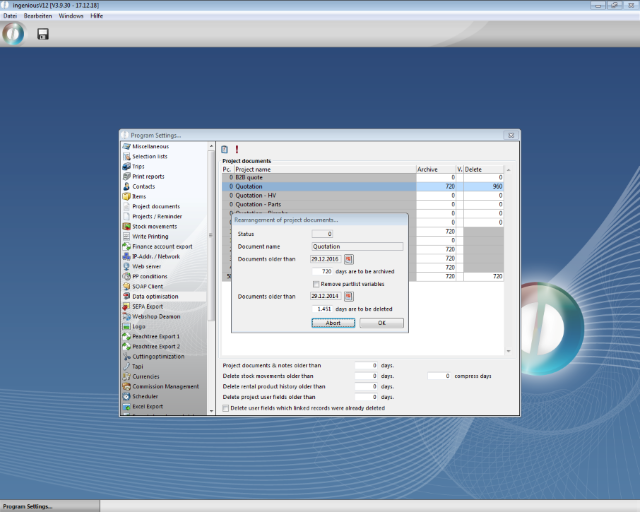
Date selection in the data optimization
3. Collected configuration
Via the button, the archiving and deletion options can be set for a selection of project documents of the same status.
4. User fields
By deleting projects or subsequently, user fields can be deleted whose linked data records (projects) have been deleted.
In addition, user fields can be deleted independently of deleting the linked project records. To do this, enter the number of days from which older user fields should be deleted.
The reorganization is started with the button  .
.